
How to choose the area for a 3D map of your neighbourhood
By Zack, the maker ·
The designer gives you a square to drag over a map. Where you put it, and how big you make it, decides whether the finished model makes people stop and say "that's our street". Here's what works.
Start with the story, not the map
Before you search, write down the two or three places that matter: the home, the school, the park, the café where you met. Then fit the square around them. A model of the place where something happened always beats a model of the prettiest part of town.
Put the main building near the middle, and keep one landmark in view
Centre the square roughly on the building that matters most, then nudge it so one thing everyone recognises sits inside the edge: a shoreline, a park, a big road, a bridge. Water helps most, because most palettes print it in its own colour. Without a landmark, even locals can take a while to get their bearings.
Pick the size and zoom together
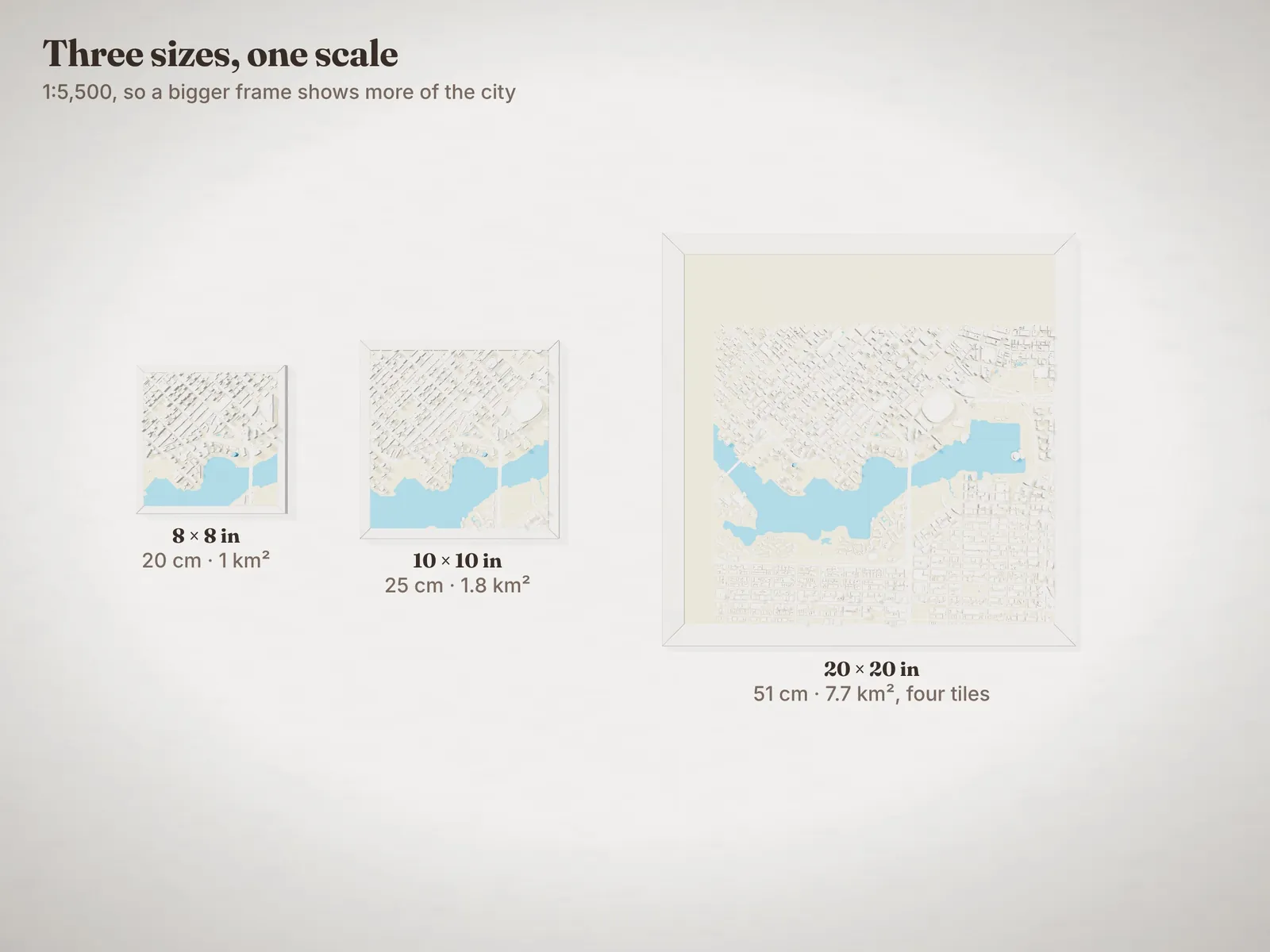
All three sizes print at the same scale, 1:5,500, so a bigger frame shows more of the city, not bigger buildings. The zoom slider goes up to 2×, which halves the ground covered and doubles the size of everything on it.
| Size | At 1× | At 2× |
|---|---|---|
| 8 × 8 in | 1 km across | 500 m across |
| 10 × 10 in | 1.3 km across | 670 m across |
| 20 × 20 in | 2.8 km across | 1.4 km across |
What a house looks like at that scale
We print buildings 1.5 times taller than true scale so houses read as houses. Even so, a typical two-storey house at 1× is a block about 2 mm across and 2 mm tall: you can see it, but it's one of hundreds. At 2× it's about 3.5 mm each way, big enough to pick out and to mark.
- Suburbs and small towns: zoom in to 1.5× or 2×. Houses become the story.
- Downtowns: stay at 1× or go bigger. Towers stand out at any zoom, and more ground means more skyline. Towers taller than about 9 storeys are eased in, so they stay impressive without dwarfing everything else.
Mark the buildings that matter
Tap a building in the 3D preview to mark it. You can mark up to five. Spread them out if you can: marks that are next to each other read as one big block from across the room.
Choose colours for the place
- Waterfronts and islands read best with the water in blue: Tiny Hometown, Pastel, Mediterranean and Night all print it that way. Chalk and Charcoal print it in the same colour as the land.
- Architecture-heavy downtowns look sharp in Pastel, with white buildings over sand-coloured land.
- Dark rooms or dark walls: try Night.
Tap a palette under Colours in the designer and the 3D preview shows your exact square in it, so you can try each one before you choose. Or mix your own from the six spools on our shelf.
Check it before you buy
Spin the preview all the way round. Look for empty lots or flat buildings where something should be (if you find one, here's how to add it to the map). If it's a gift and you're not sure of the spot, press Share this design and send the link to someone who knows.